

What is Two-Way Sync?
A Guide for Non-Technical Teams
In today’s fast-paced digital world, teams rely on a growing number of apps, tools, and platforms to get work done. From project management tools to customer relationship management (CRM) systems, communication apps to calendars — we live in a multi-tool environment. While these tools help streamline workflows, they can also create silos, duplicated work, and outdated information if they don’t communicate with each other properly.
That’s where Two-Way Sync comes in. But what exactly does that mean? And more importantly, why should your team care?
In this guide, we’ll break down the concept of Two-Way Sync in simple, jargon-free language. By the end, you’ll understand what it is, why it matters, and how it can make your work life easier — no technical degree required.
What is Two-Way Sync?
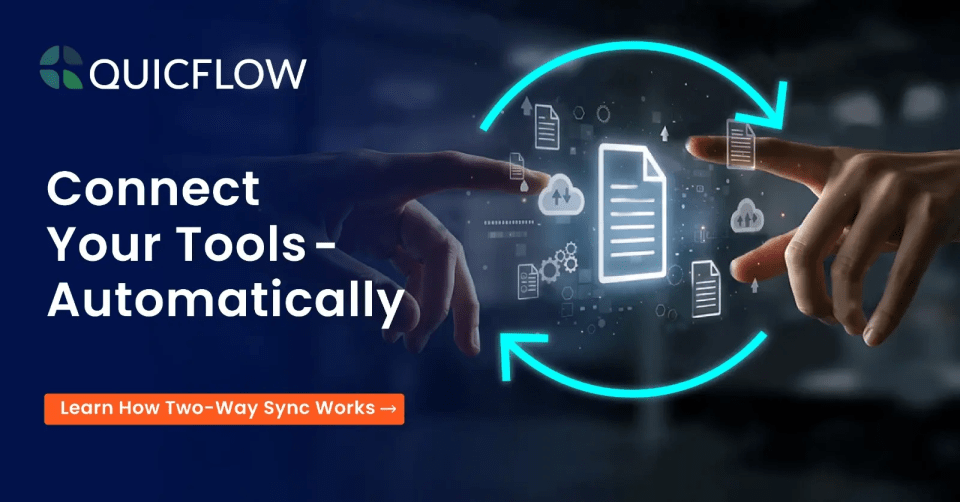
Two-Way Sync (short for Two-Way Synchronization) is a process where data is automatically updated in both directions between two apps, platforms, or systems. That means when you make a change in one tool, that change is reflected in the other tool — and vice versa.
Think of it like a two-way street for your information. Data flows both ways, keeping everything consistent, accurate, and up to date, no matter where you work.
A Simple Analogy
Imagine you have two notebooks — one at your desk and one at home — where you keep your to-do lists. Every time you add, remove, or update a task in one notebook, that same change magically appears in the other notebook in real time. Thanks to two-way sync features like bidirectional updates, automatic data mirroring, and live synchronization, you never have to rewrite anything. Both notebooks always show the same list, ensuring data consistency and eliminating duplication across systems.
That’s essentially what Two-Way Sync does for your digital tools.
How Does Two-Way Sync Work? (Without the Tech-Speak)
Let’s say your team uses:
- A CRM tool like HubSpot to track customer details
- A Project Management tool like Asana for managing tasks
- A Communication tool like Slack for conversations
Without Two-Way Sync, information easily falls out of sync. You might update a client’s phone number in the CRM, but forget to change it in Asana. Or a project status changes in Asana, but nobody updates the CRM.
With Two-Way Sync:
✅ The CRM and Asana stay updated automatically
✅ Changes made in one tool reflect in the other
✅ Everyone has access to the latest, correct information
✅ No more manual double entry
✅ Fewer errors and less wasted time
Behind the scenes, software tools use integrations and APIs (Application Programming Interfaces) to talk to each other. But as a user, all you need to know is that when you change data in Tool A, Tool B updates too — and vice versa.
Two-Way Sync vs. One-Way Sync: What’s the Difference?
It’s easy to confuse the two, so let’s clear that up:
| Feature | One-Way Sync | Two-Way Sync |
| Data Flow Direction | Only from Tool A → Tool B | Both Tool A ↔ Tool B |
| Updates Made In | Changes in Tool A update Tool B only | Changes in either tool update both |
| Example | Google Calendar → Project Management | Contacts sync between CRM & Email |
| Ideal For | Sending data downstream, no feedback | Keeping two systems perfectly aligned |
Real-Life Examples:
✅ One-Way Sync: Your website form sends new leads into your CRM, but updates in the CRM don’t flow back to the website form.
✅ Two-Way Sync: You update a contact’s phone number in your CRM or in your email app, and the correct number appears in both.
Why Does Two-Way Sync Matter for Non-Technical Teams?
Even if you’re not in IT or software development, Two-Way Sync can make your daily work smoother, faster, and less frustrating. Here’s why:
1. Saves Time and Reduces Manual Work
Without Two-Way Sync, updating information across multiple tools means doing everything twice (or more). That eats up valuable time. With Two-Way Sync, changes happen automatically — no more copy-pasting, double-entry, or chasing down the latest details.
2. Prevents Costly Errors
Outdated or inconsistent information leads to mistakes — like calling a client at the wrong number or working from old project details. Two-Way Sync ensures everyone, across every tool, sees the same, accurate information.
3. Improves Collaboration
When different teams use different tools, communication breaks down. Two-Way Sync connects those tools so everyone stays on the same page, no matter which platform they prefer.
4. Enhances Customer Experience
If your sales, support, and marketing teams use different apps, but those apps stay in sync, your customers enjoy a seamless experience — because your team has the full, updated picture at all times.
5. Frees You to Focus on Real Work
Less time spent fixing errors or hunting down missing information means more time for meaningful tasks — serving clients, solving problems, and achieving goals.
Common Scenarios Where Two-Way Sync Helps
Here are some typical situations where Two-Way Sync saves the day:
✅ CRM & Email Sync
Your CRM holds customer details, and your email contacts are stored separately. Two-Way Sync ensures changes in one system appear in the other — no more outdated emails or missing contacts.
✅ Project Management & Calendar Sync
When project deadlines or meeting times change in your project management tool, those updates flow automatically to your calendar — and vice versa.
✅ Support Tools & CRM Sync
A support agent updates a customer’s profile during a ticket interaction. Thanks to Two-Way Sync, that information updates instantly in the CRM, keeping sales and account management teams in the loop.
✅ Inventory Management & E-Commerce Sync
If stock levels change in your inventory system, Two-Way Sync updates your online store to reflect accurate availability — and vice versa, reducing overselling or stockouts.
What Two-Way Sync is Not
To avoid confusion, it’s important to understand what Two-Way Sync doesn’t do:
🚫 It doesn’t mean your tools are merged into one
🚫 It doesn’t automatically sync every piece of data (you often control what syncs)
🚫 It doesn’t replace the need for clear processes — it supports them
🚫 It doesn’t guarantee “real-time” sync in every case (though many systems sync every few minutes)
Two-Way Sync vs. Data Migration vs. Integration
These terms often pop up together but mean different things:
| Term | What it Means | When You Use It |
| Two-Way Sync | Ongoing, automatic data updates both ways | Keeping two systems in sync daily |
| Data Migration | Moving data from one system to another (usually one-time) | Switching tools or upgrading systems |
| Integration | Tools are connected, but not always synced automatically | Triggering actions between tools |
If your goal is to keep two tools continuously aligned, Two-Way Sync is what you’re looking for.
Do You Need Two-Way Sync?
Not every team needs Two-Way Sync — but for many, it’s a game-changer. Here’s how to tell:
✅ You use multiple apps or systems that share the same type of data (contacts, tasks, projects, etc.)
✅ You often find inconsistencies between those systems
✅ You waste time updating information in more than one place
✅ Mistakes or outdated info have caused problems
✅ You want better collaboration across teams using different tools
If you nodded to any of those, Two-Way Sync is likely worth exploring.
How to Get Started with Two-Way Sync
The good news? You don’t have to build this yourself. Many software providers offer Two-Way Sync solutions that non-technical teams can use with minimal setup.
Steps to Get Started:
- Identify Your Key Tools
Which apps do you use daily that need to share information? Common pairs include:
- CRM ↔ Email
- Project Management ↔ Calendar
- Support Tool ↔ CRM
- E-Commerce Platform ↔ Inventory
- Choose a Sync Solution
Look for integration platforms like: QuicFlow
- Define What Syncs
You can usually customize what information flows between tools — for example, only syncing certain fields or data types.
- Test Thoroughly
Always test your sync setup to ensure data flows correctly both ways without unexpected changes.
- Train Your Team
Make sure everyone knows how the sync works and understands best practices.
Potential Challenges to Watch For
While Two-Way Sync brings big benefits, it’s important to be aware of possible hurdles:
⚠️ Data Conflicts: If the same record changes in both systems at the same time, how does the sync handle it? Look for conflict resolution options.
⚠️ Partial Syncs: Some tools limit what fields can sync. Clarify what’s possible upfront.
⚠️ Cost: Some sync tools charge per connection or based on data volume. Factor this into your budget.
⚠️ Security & Privacy: Choose reputable sync providers with strong security measures to protect your data.
Final Thoughts: Is Two-Way Sync Worth It?
For non-technical teams juggling multiple tools, Two-Way Sync often feels like a hidden productivity superpower. With Quic Flow Solutions, it provides fast, reliable ways to reduce manual work, prevent errors, boost collaboration, and keep your team aligned — all without requiring technical expertise.
Like any tool, it’s not a magic fix for disorganized processes. But when used thoughtfully, it creates a reliable, automated flow of information that makes your work life simpler and more efficient.
So, the next time you’re copying data between apps or chasing down missing information, remember: there’s a better way — and it’s called Two-Way Sync with Quic Flow Solutions.
Ready to explore Two-Way Sync for your team? Look into integration platforms or consult your software provider — and start working smarter, not harder.

testing